
Review your week on Weekly plan: pick focus goals (up to 3), write actions, then submit.
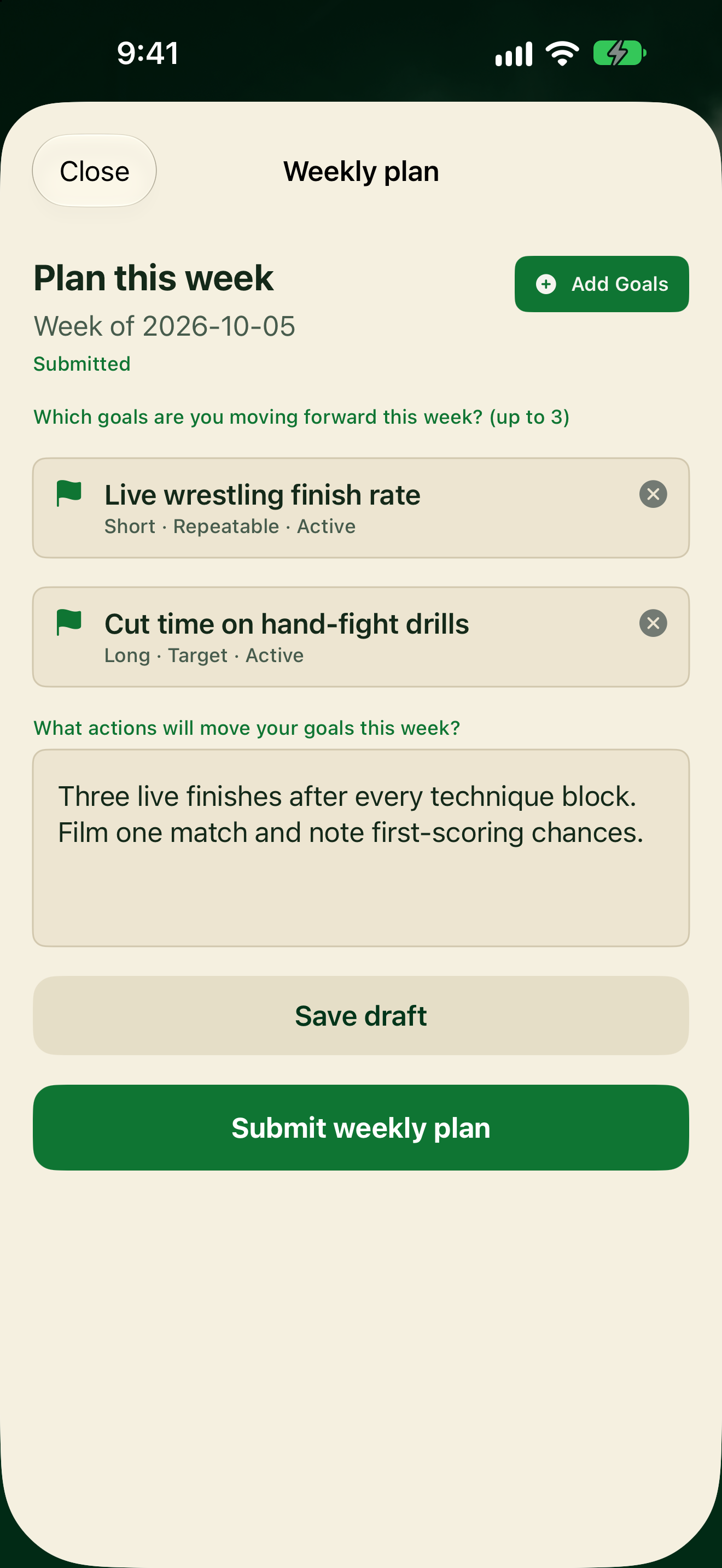
Review this week's plan
- Tap My Journal, or from Home tap Start weekly plan / Continue weekly plan.
- On Plan this week, check your focus goals (up to 3) and this week's actions.
- Tap Add Goals to change which goals you're moving forward, then Done.
- Edit the actions text if you need to.
- Tap Save draft to keep working, or Submit weekly plan when it's ready.
Status on the plan shows Submitted (or Submitted · locked for the week) when it's in. A Draft status that says it is not submitted yet is not enough to unlock daily journaling.
Full submit steps: Make your weekly plan.