
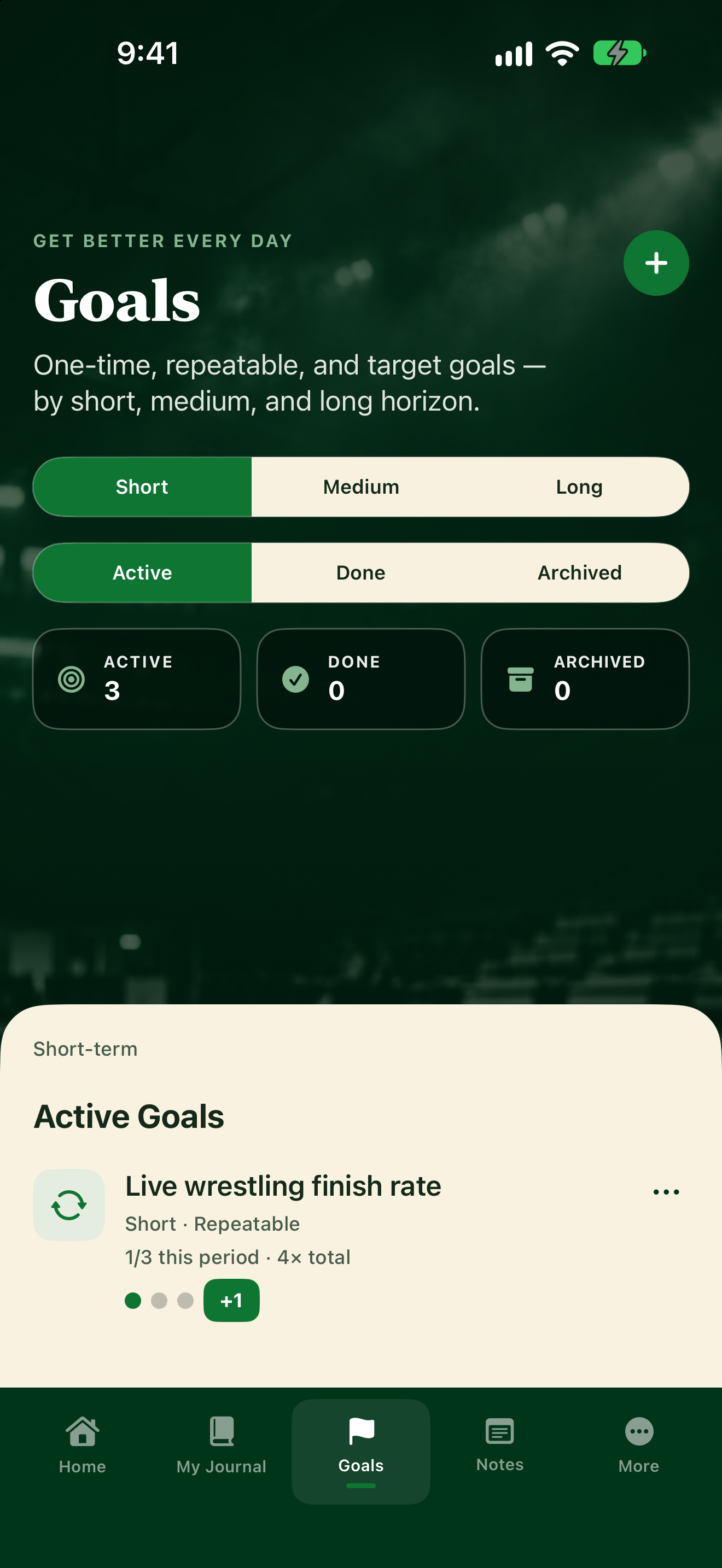
From Goals
- Tap Goals.
- Pick Short, Medium, or Long, then Active.
- Track progress on the list:
- One-Time: tap Mark completed. Confirm when the app asks.
- Repeatable: tap +1 each time you do it. Dots show how close you are to the weekly target.
- Target: type your new number in Current and tap Update.
From Home
After your weekly plan is Submitted, This Week’s Goals on Home lets you:
- Tap the circle on a one-time or repeatable goal.
- Tap +1 on a repeatable goal.
- Tap Update on a target goal to open it in Goals.
More actions
Tap the ••• menu on a goal for Details, Weekly review, Mark completed, Pause, Activate, Restore to Active, or Archive. Status can show Active, Done, Archived, or Paused. Tap a goal to open its details (including coach comments and linked journal entries), then Done to close.