
Check your plan and billing from Settings. Prices always come from the App Store.
Open Subscription
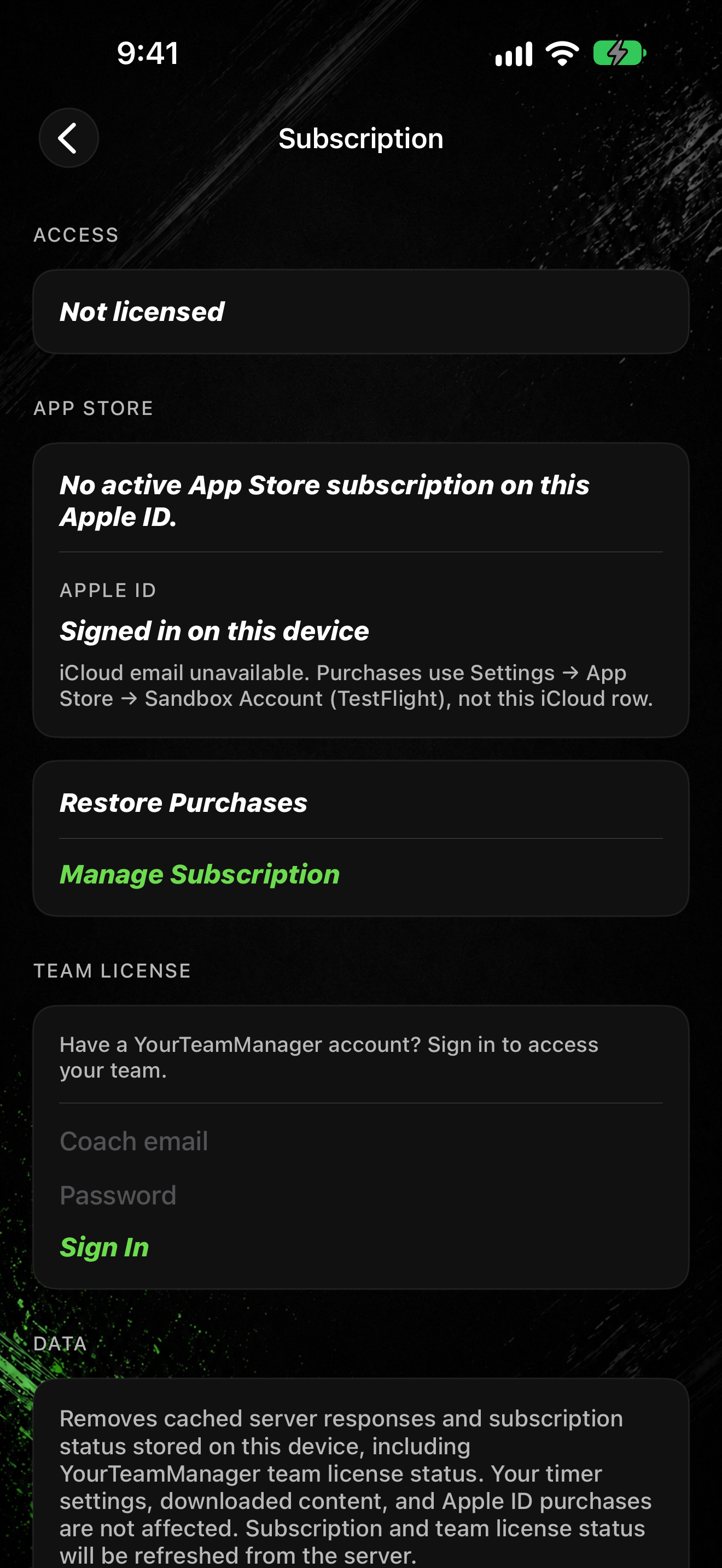
- Tap SETTINGS, then Subscription.
- Under App Store, see your current plan. If none is active, you may see No App Store Subscription.
- The Apple ID section shows which account purchases use on this device.
Restore or manage billing
- Tap Restore Purchases if you already paid on this Apple ID and access looks wrong.
- Tap Manage Subscription to open Apple's subscription management (not shown for Founders Lifetime).
Team License
- Under Team License, tap Have a YourTeamManager account? to sign in when your org gave you access.
- A separate YourTeamManager row in Settings is Coming soon for broader coach tools. Use team license sign-in here (or on the paywall) for access today.
Clear cached data
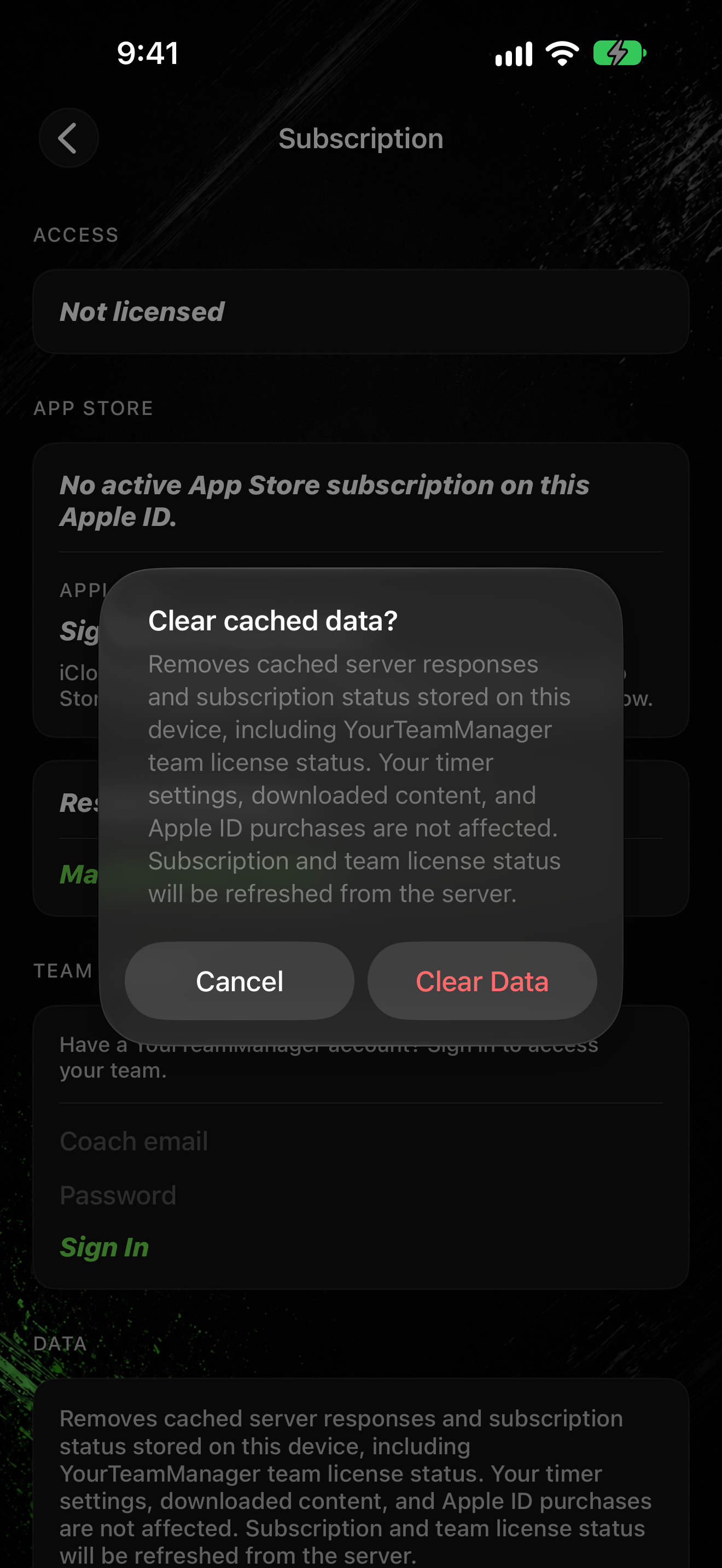
- Under Data, tap Clear Cached Data.
- When asked Clear cached data?, tap Clear Data or Cancel.
Clearing cache does not remove your Apple ID purchases. If the paywall still looks wrong after restore, see Subscription or paywall problems.