
Steps 1 and 2 are the subscribe (paywall) screen and accepting the privacy policy. Welcome setup continues with Step 3 of 5 through Step 5 of 5.
Step 3: iCloud Sync
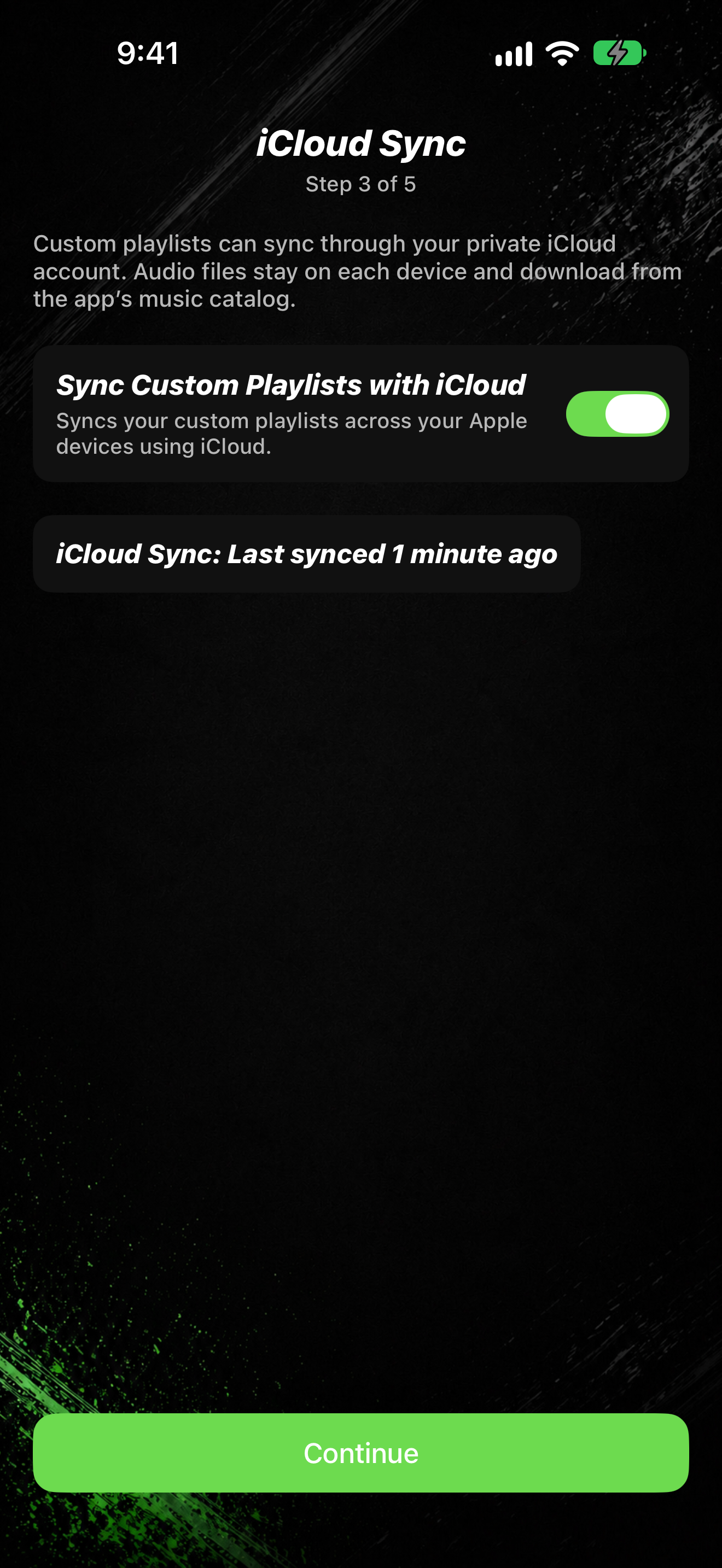
- On iCloud Sync (Step 3 of 5), review Sync Custom Playlists with iCloud.
- Turn the option on if you want custom playlists to sync across your devices.
- Tap Continue.
Step 4: Arena Music
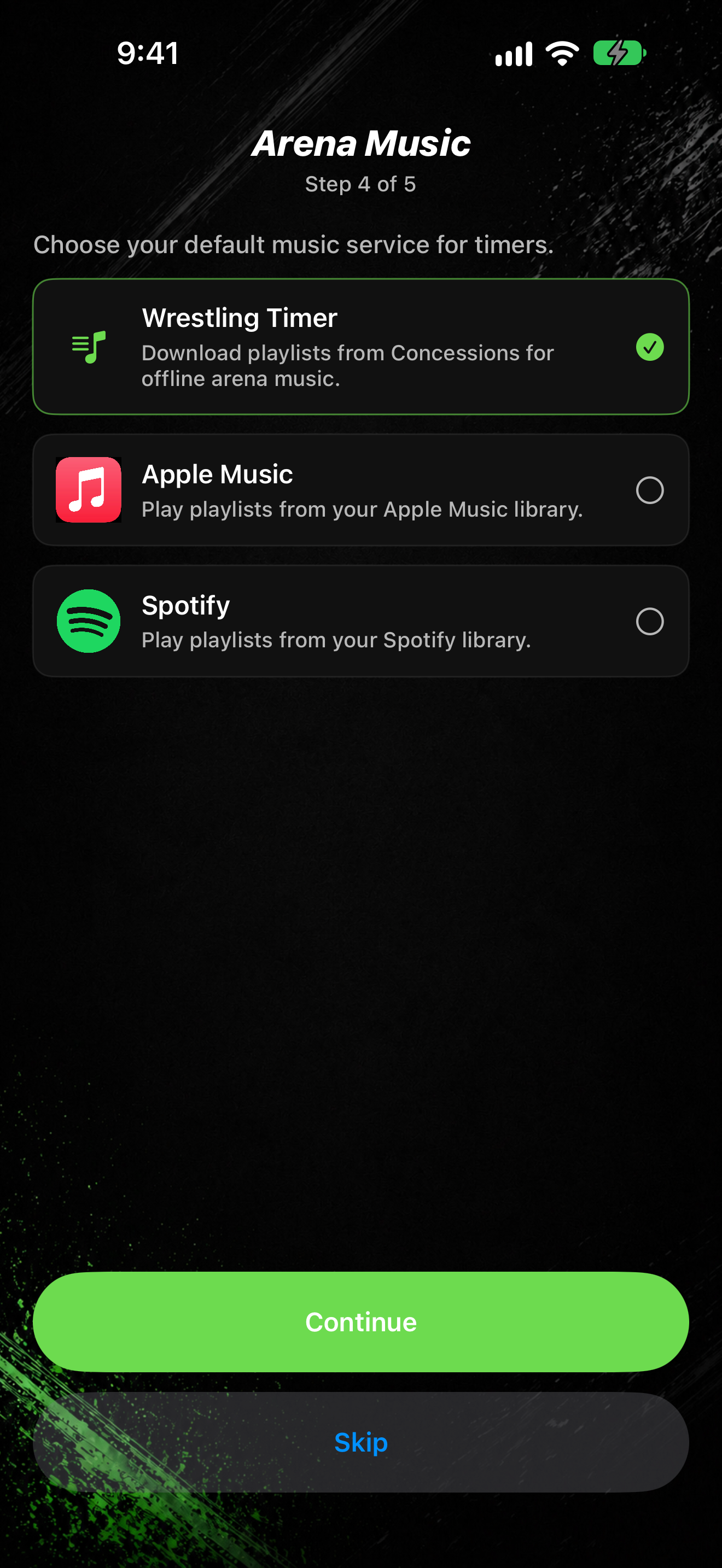
- On Arena Music (Step 4 of 5), choose a default music service: Wrestling Timer, Apple Music, or Spotify.
- Tap Continue to keep your choice, or Skip to move on without setting a default.
- If you pick Apple Music or Spotify, you may see Connect Apple Music or Connect Spotify. Connect now, or tap Skip / Continue as shown.
You can change music services later in Settings.
Step 5: Menu Music
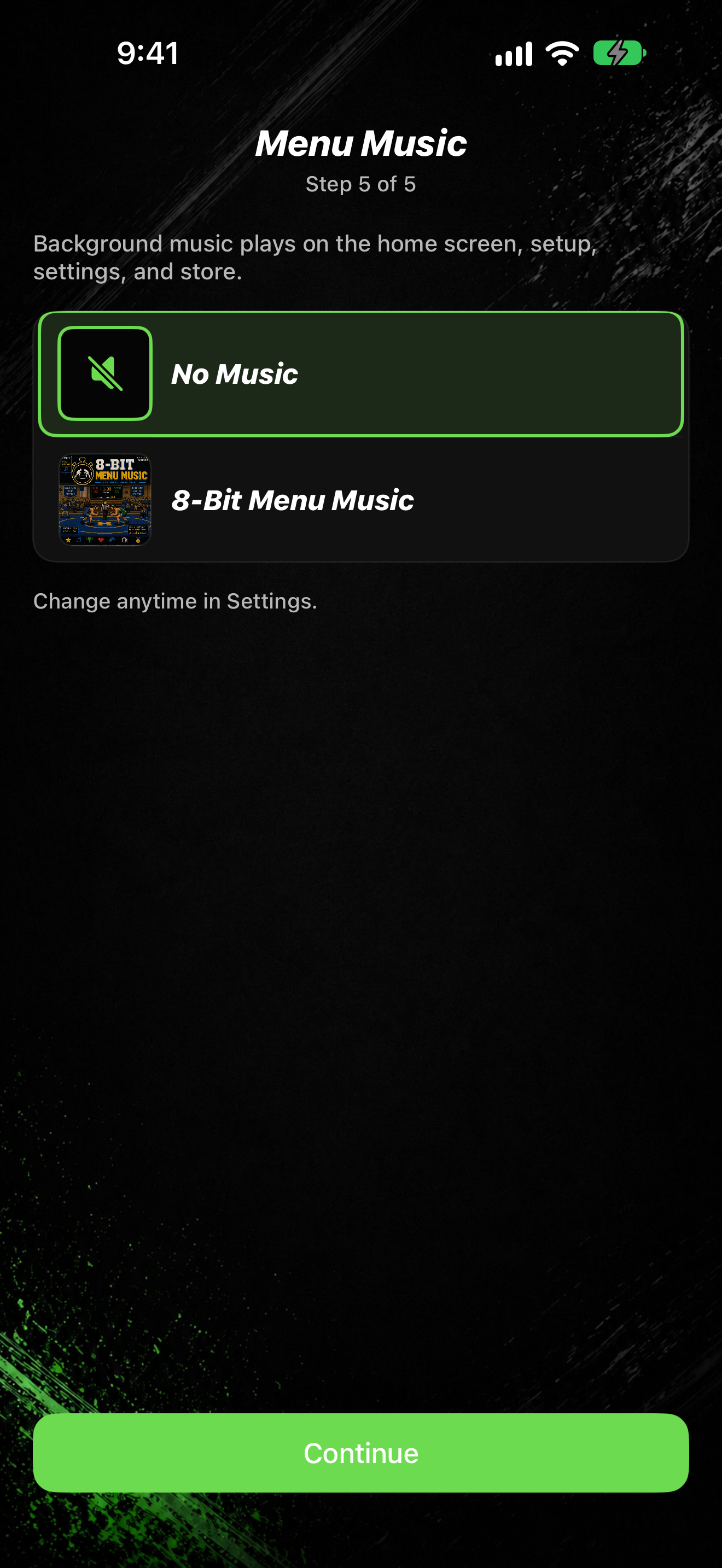
- On Menu Music (Step 5 of 5), pick a playlist or No Music.
- The note says: Background music plays on the home screen, setup, settings, and store.
- Tap Continue.
You land on the home screen. Next: Find your way around the home screen.