
Sign in
- Open The Wrestling Journal app.
- Make sure the Sign In tab is selected. (New here? Use the Create Account tab. See Download and create your account.)
- Type your email in Email.
- Type your password in Password (8+ characters).
- Tap Sign In.
If you haven't verified yet, the app brings you back to Verify email.
Forgot password?
- On Sign In, tap Forgot password?
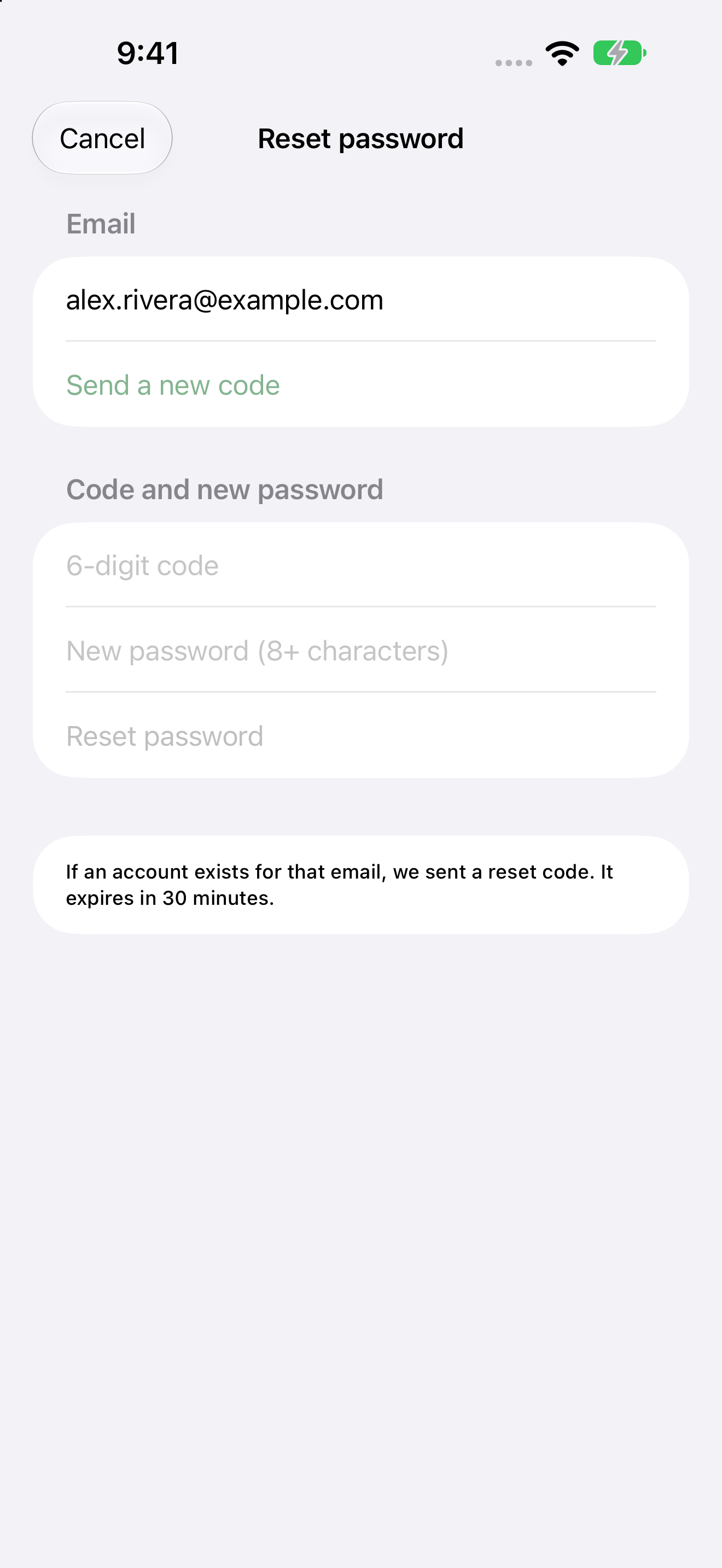
- On Reset password, check the Email field, then tap Email me a code.
- When the email arrives, type the 6-digit code and a New password (8+ characters).
- Tap Reset password.
The app says a reset code was sent if an account exists for that email, and that it expires in 30 minutes. Tap Send a new code if you need another one. Tap Cancel to close without changing anything.
Restoring a deleted account within 30 days uses the same reset flow, or Sign In. See Delete your account.