
Use Reminder settings to choose how you want reminders set up on this phone. You can change these options and tap Save. This page only covers saving your choices in the app.
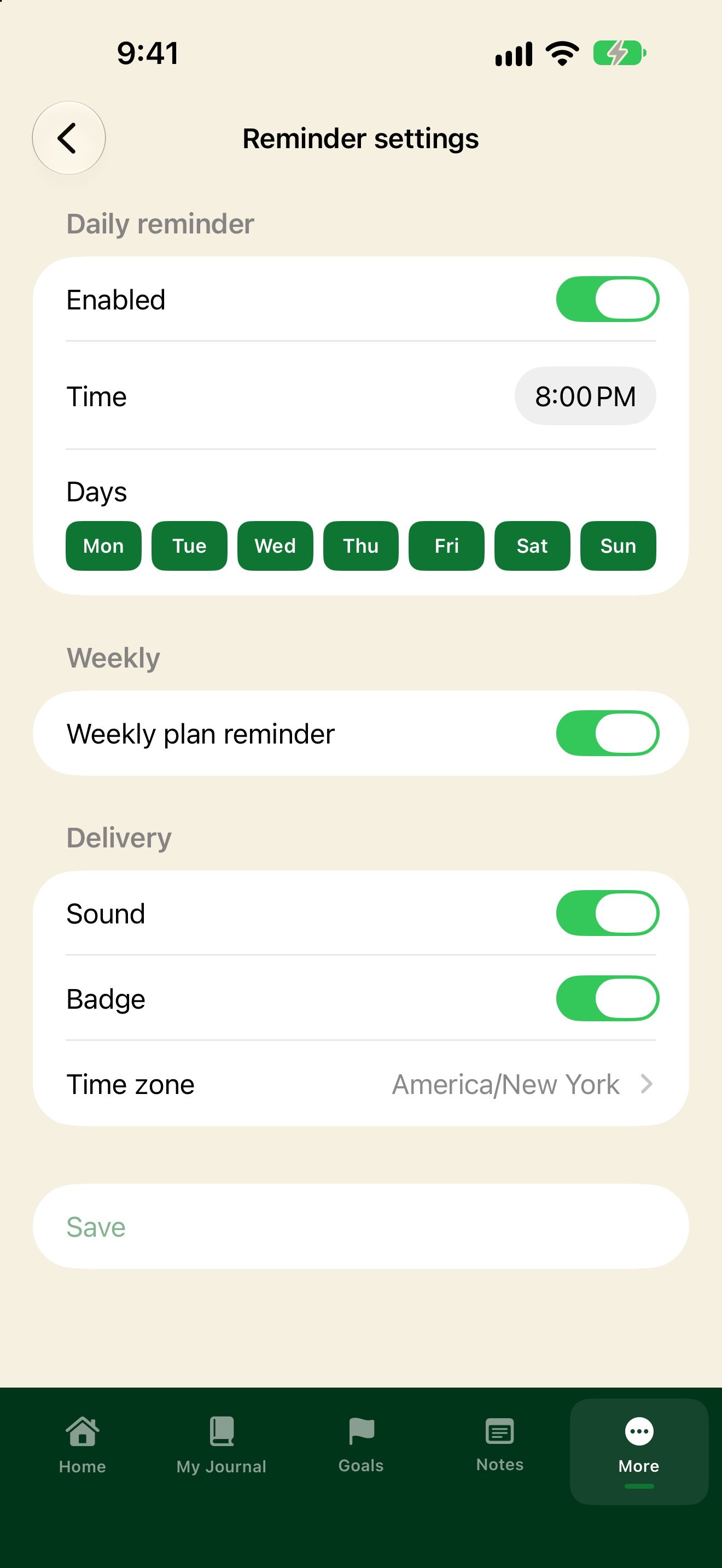
Open Reminder settings
- Tap More, then Reminder settings.
- Change any of the options below.
- Tap Save.
What you can set
Daily reminder
- Turn Enabled on or off.
- Set a Time.
- Pick which Days (Mon through Sun).
Weekly plan reminder
- Turn Weekly plan reminder on or off.
Delivery
- Sound: on or off.
- Badge: on or off.
- Time zone: pick your time zone (for example America/New York).
These settings store your preferences. They do not guarantee that a reminder will be delivered to your phone.