
After you sign in, you land on Home. It greets you by name.
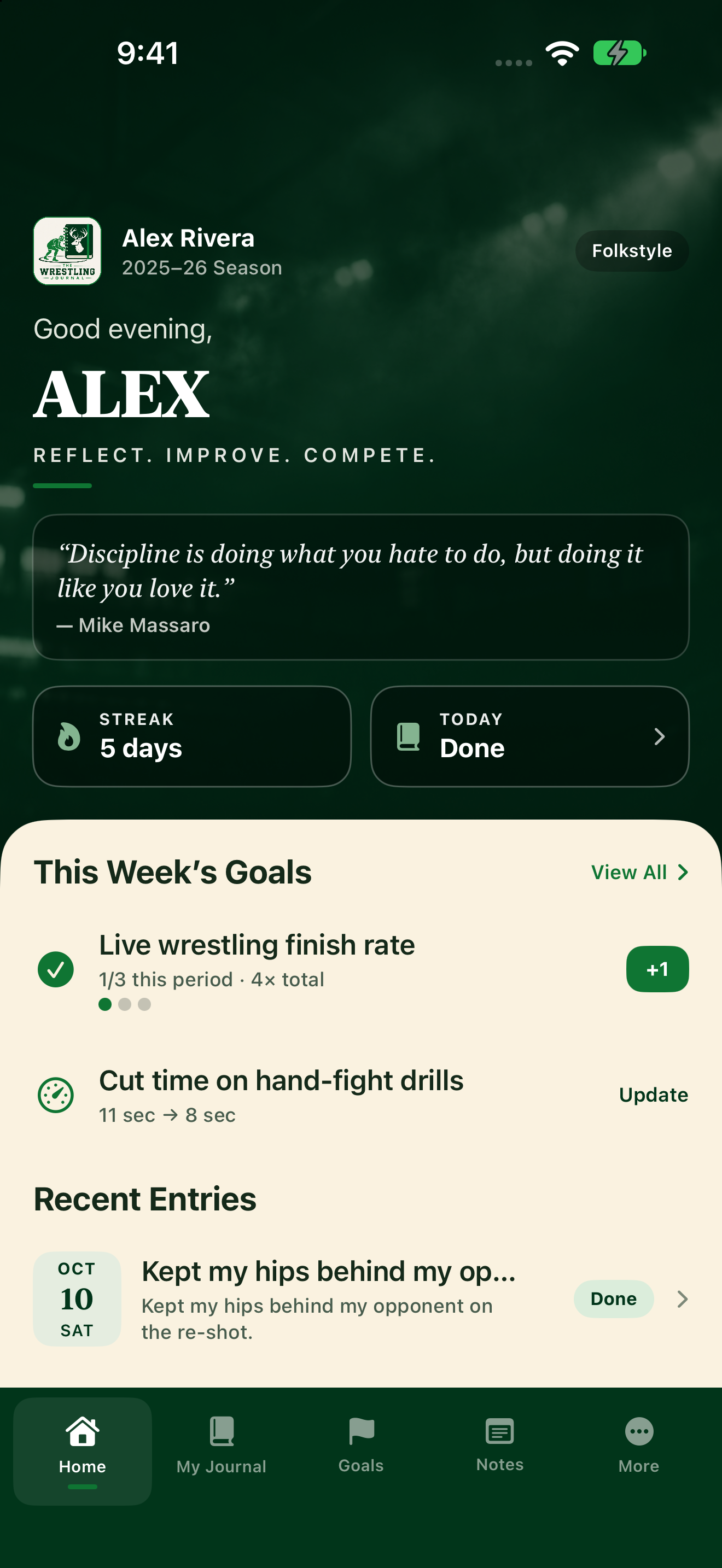
What you'll see
- A short quote and who said it, under your name. A new one shows each week; your coach sees the same quote.
- Streak: how many days in a row you've journaled.
- Today: whether today's journal is Open, a Draft, or Done. Tap it to go to today's entry.
- New coach comments: when your coach comments, you'll see something like "1 new coach comment." Tap it to open Inbox.
- This Week’s Plan: if you haven't finished the plan, Home says Set your weekly plan first. Tap Start weekly plan (or Continue weekly plan).
- This Week’s Goals: once the plan is done, Home lists those goals. Mark progress from here:
- One-time: tap the circle. It says Completed when done.
- Repeatable: tap the circle for the week, or tap +1. Dots show progress toward your weekly target.
- Target: tap Update to open Goals and enter a new number.
- Recent Entries: tap one to read it, or tap View All to see more.
Bottom tabs
Use the tabs along the bottom: Home, My Journal, Goals, Notes, and More.