
When the announcer is off, Wrestling Timer plays a classic sound at time-up. That setting lives on the Announcer screen (not under Timer).
Choose a classic sound
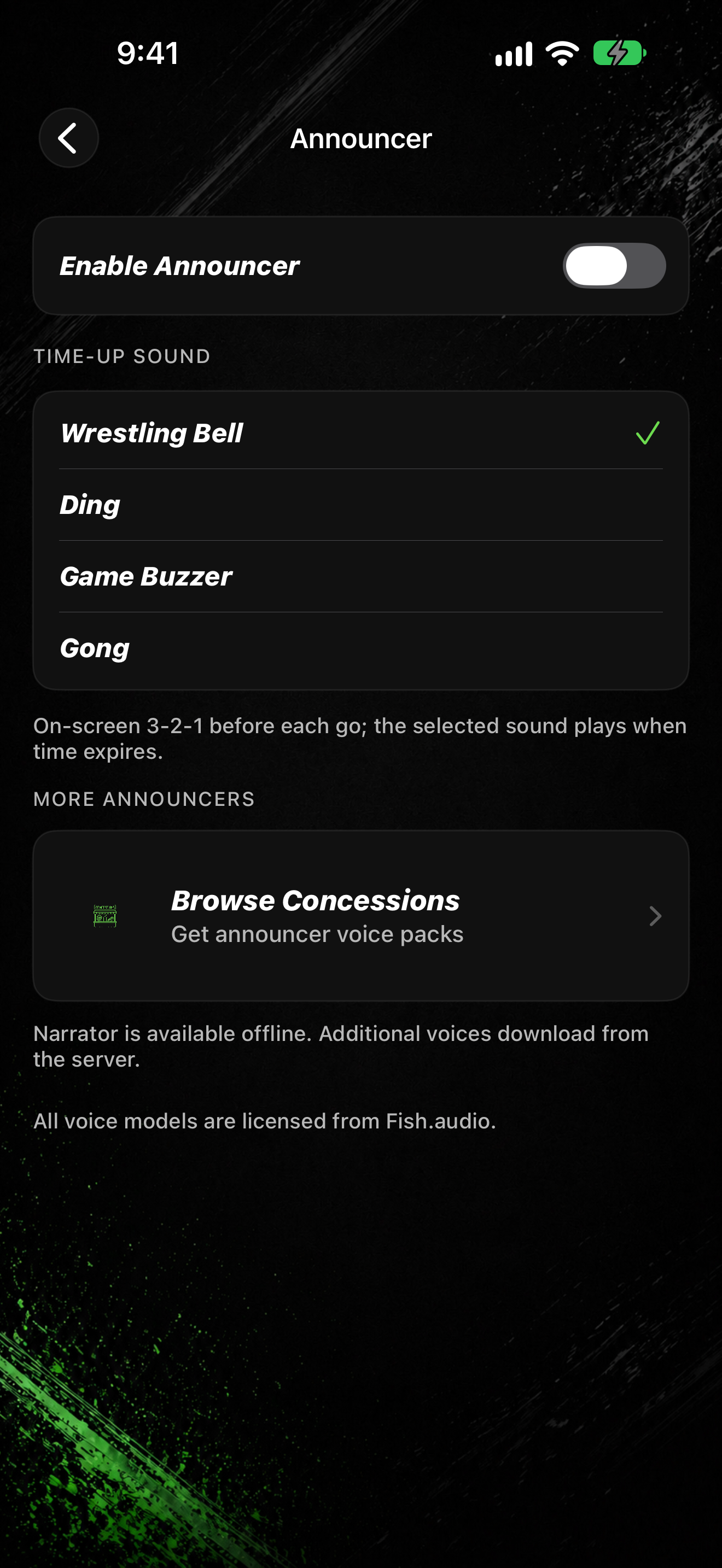
- Tap SETTINGS, then Announcer.
- Turn Enable Announcer off so the Time-Up Sound list appears.
- Under Time-Up Sound, pick Wrestling Bell, Ding, Game Buzzer, or Gong.
- Tap a row to preview and select it.
The footnote explains that on-screen 3-2-1 still runs before each go, and the selected sound plays when time expires. To use voice calls instead, see Turn the announcer on or off.