
The Optimal Weight Calculator, shown as OWC in the menu, compares each athlete's weights with a plan and shows who is on track, too light or too heavy.
First-time setup
- In the side menu, open My Team, then select OWC.
- The Set up Optimal Weight Calculator window opens. Fill in:
- Acceptable variance (lbs): how many pounds under the plan still counts as on track.
- Annual OWC expiration: the month and day assessments expire each year.
- Select Save and continue.
Change it later
- Open Settings, then OWC Settings.
- Change On-track variance (lbs) (the default is 0.4 pounds) or Annual OWC expiration (the default is September 1).
- Select Save settings.
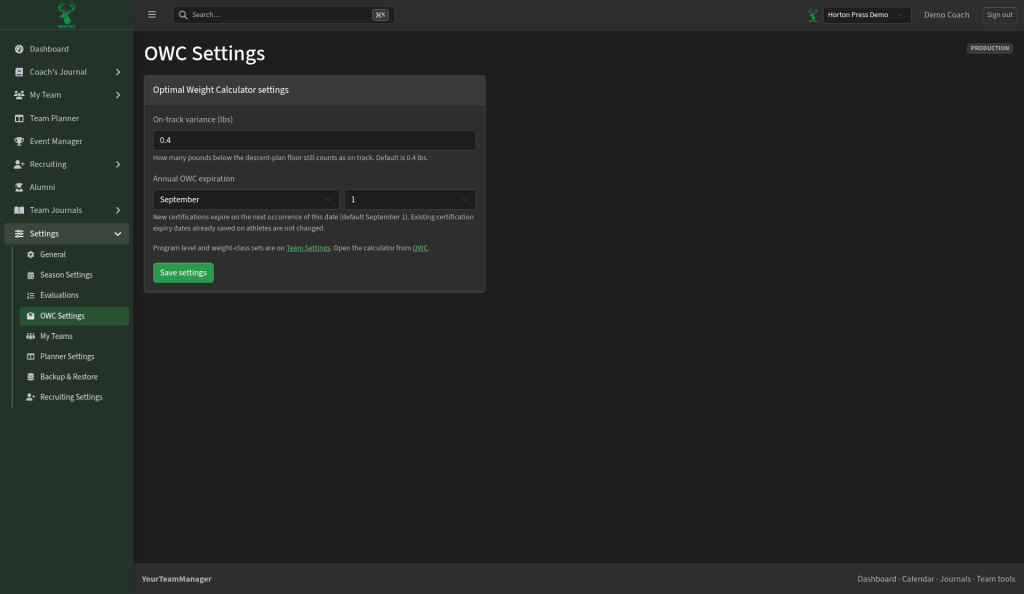
New certifications use the new date. Ones already saved don't change. Weight classes are set under Settings, then Season Settings.