
In the side menu, open Coach's Journal, then select Curriculum.
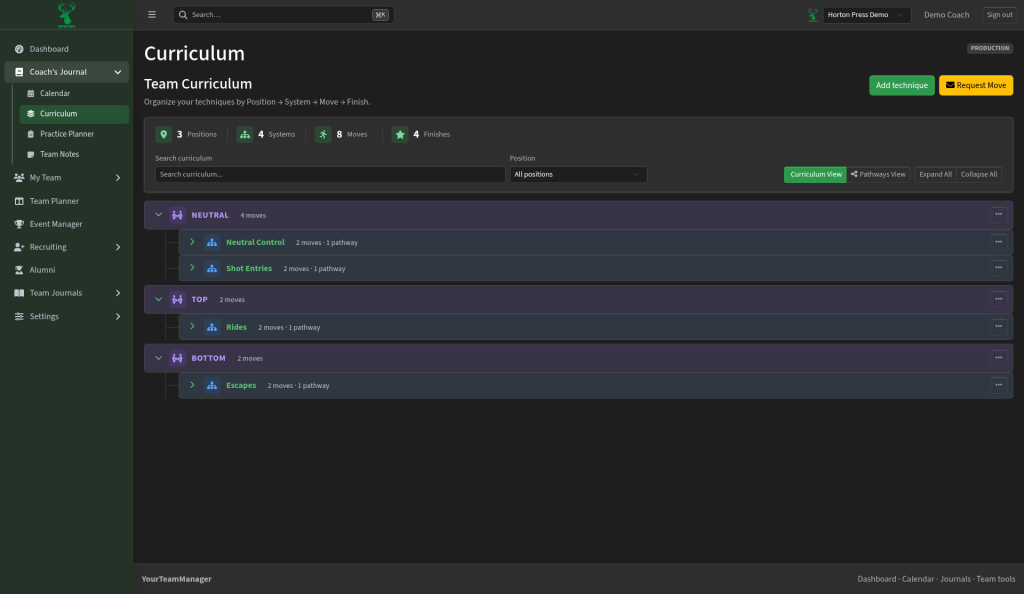
How it's organized
- Position: for example Neutral, Top or Bottom.
- System: a family of work in that position, such as Shot Entries or Escapes.
- Move: the technique itself.
- Finish: how the move ends.
Each system shows a short count, such as "2 moves · 1 pathway."
Add and find techniques
- Select Add technique to add something new.
- Use the search box or filter by position to find one.
- Select Expand All or Collapse All to open or close the whole list.
- Switch between Curriculum View (the full list) and Pathways View (how techniques connect into teaching paths).
- Use Request Move to ask for a move to be reviewed or added.
Tip
Set up positions and systems before adding lots of moves. The list stays easier to browse.