
Athletes see your comments in the app and get a notification.
Leave a comment
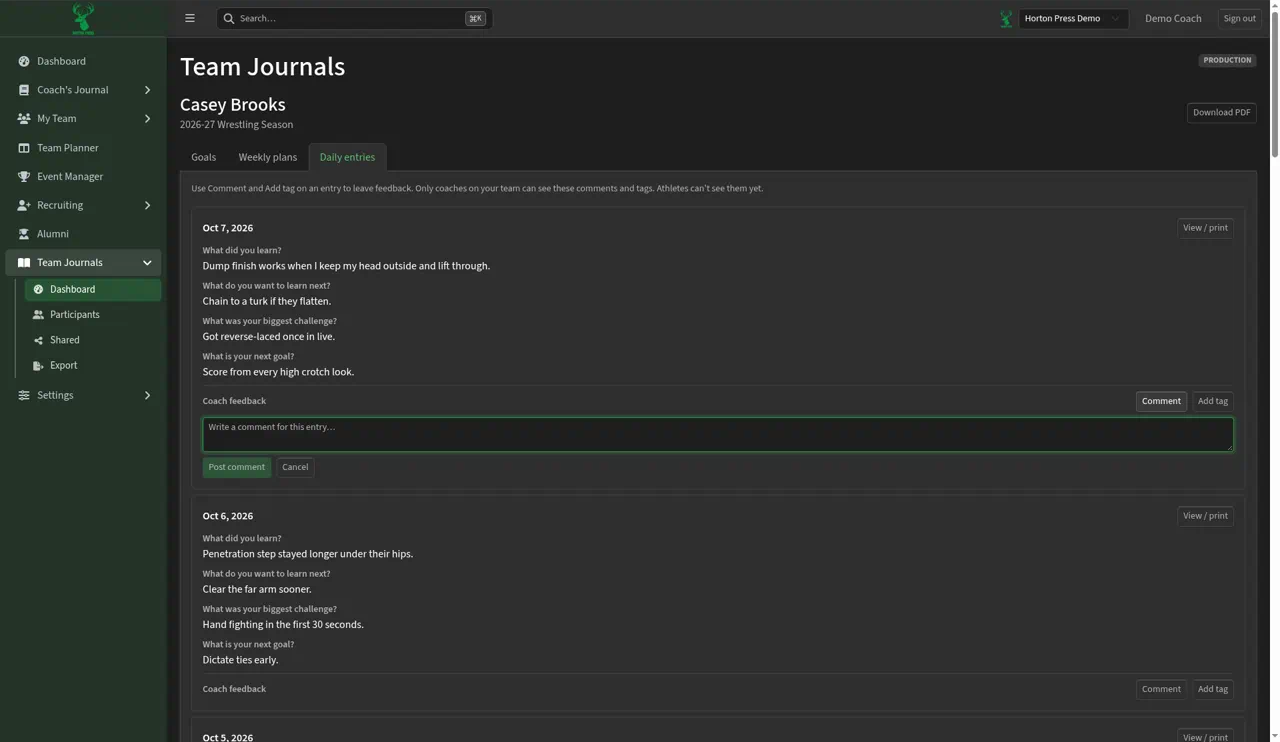
- Open the athlete's journal and select Daily entries (or open the entry with View / print).
- Under the entry, find Coach feedback and select Comment.
- Type in "Write a comment for this entry…".
- Select Post comment, or Cancel.
Reply
- Under the comment, select Reply.
- Type in "Write a reply…".
- Select Post reply.
Delete
- Under your comment, select Delete.
- Confirm: "Delete this comment? Replies to it are deleted too."
You can't edit a comment. Delete it and post a new one.