
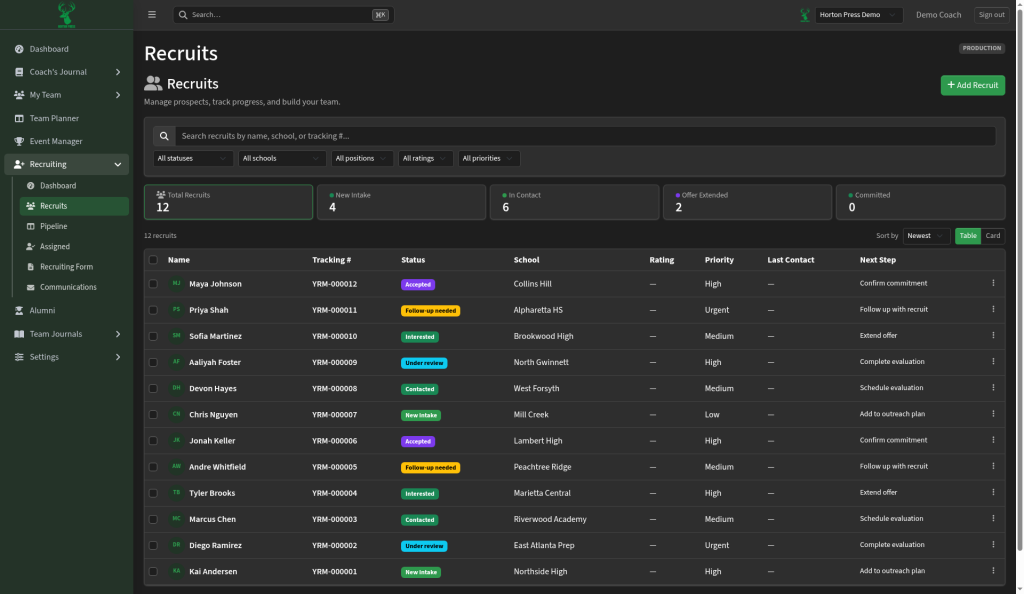
- Open Recruiting, then Recruits.
- Search for a recruit, or scroll the list.
- Open a recruit to see and update their details.
To add someone new, select Add Recruit on the Recruiting Dashboard.
Search your recruit list and keep each recruit's details up to date.
Last checked October 10, 2026
To add someone new, select Add Recruit on the Recruiting Dashboard.