
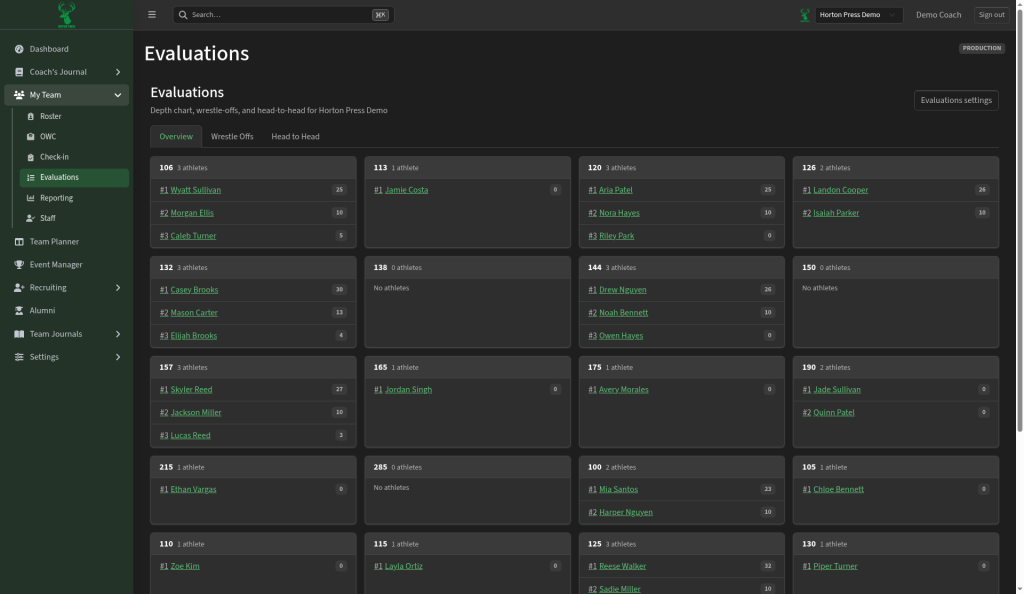
In the side menu, open My Team, then select Evaluations. The page reads "Depth chart, wrestle-offs, and head-to-head."
Read the depth chart
- Stay on the Overview tab.
- Each weight class card lists its athletes in order (#1, #2, #3) with scores.
- Empty classes say No athletes.
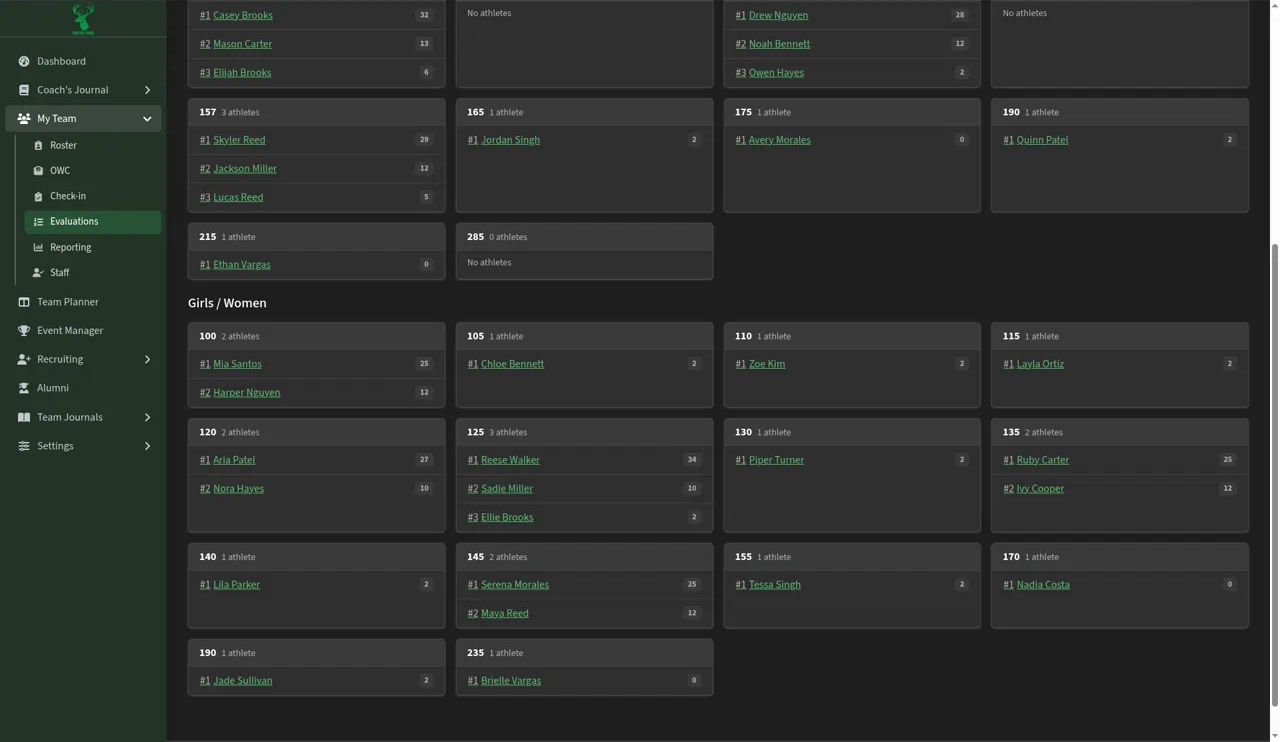
Boys and girls have separate lists, under Boys / Men and Girls / Women. Scroll past the boys' list to find the girls'. A weight in both lists, such as 120, has two separate cards.
Settings
Select Evaluations settings (top right) to change how rankings work. You can also open Settings, then Evaluations. Weight classes come from Settings, then Season Settings.