
Evaluations
Evaluations helps you see who is ranked where by weight class, run wrestle-offs, and track head-to-head results.
How to open it
In the side menu, open My Team, then select Evaluations.
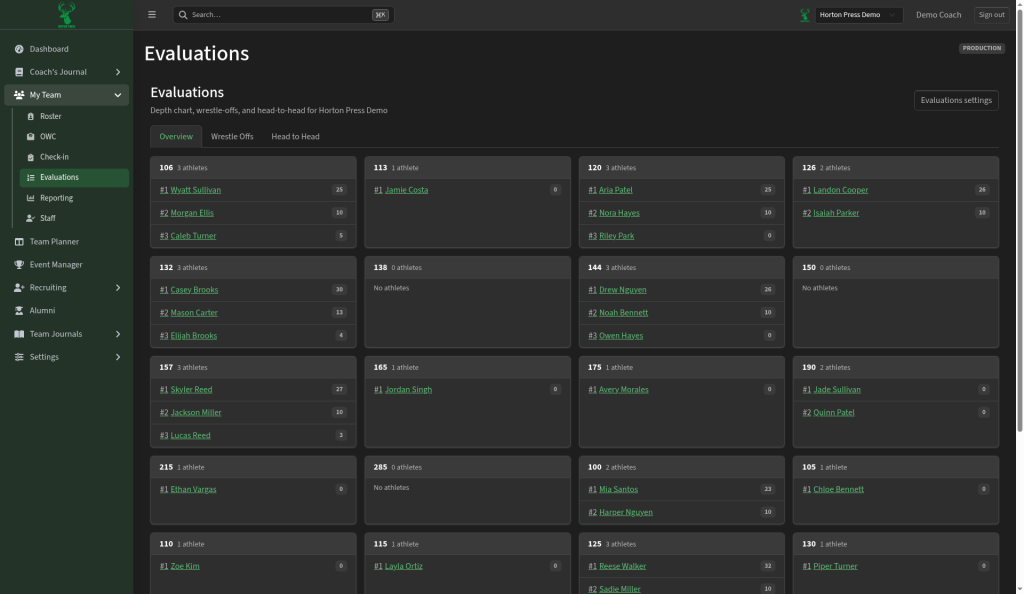
Tabs
- Overview — depth chart cards by weight class, with ranked athletes and scores
- Wrestle Offs — plan and record wrestle-offs
- Head to Head — results between athletes
Depth chart (Overview)
Each weight class card shows how many athletes are placed there and their order (#1, #2, #3, and so on). Empty classes show No athletes so gaps are obvious.
Settings
Use Evaluations settings (top right) to adjust how rankings and evaluation rules work for your team. You can also reach related options under Settings → Evaluations in the side menu.